


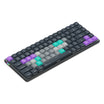
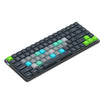
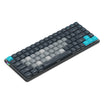
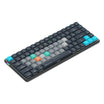
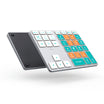
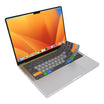
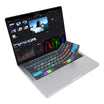
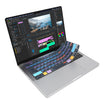
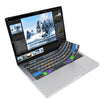
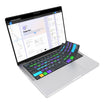

Davinci Tabs
| Shortcut Hotkey | Description | MacOS VIA Macro | Windows VIA Macro |
|---|---|---|---|
| Copy Attributes | Copy a clip/object or its attributes |
VIA Code copied: {KC_LGUI,KC_C}
|
VIA Code copied: {KC_LCTL,KC_C}
|
| Paste Attributes | Open Paste Attributes dialogue box, allowing you to paste specific settings |
VIA Code copied: {KC_LALT, KC_V}
|
VIA Code copied: {KC_LALT,KC_V}
|
| Split Clip | Split all the clips at the playhead position |
VIA Code copied: {KC_LGUI,KC_BSLS}
|
VIA Code copied: {KC_LCTL,KC_BSLS}
|
| Timeline Zoom | Toggle between showing the timeline in its entirety and the previous timeline zoom level |
VIA Code copied: {KC_LSFT,KC_Z}
|
VIA Code copied: {KC_LSFT,KC_Z}
|
| Transition | Add a transition at the selected edit points |
VIA Code copied: {KC_LGUI,KC_T}
|
VIA Code copied: {KC_LCTL,KC_T}
|
| Undo Step | Undo the last action |
VIA Code copied: {KC_LGUI,KC_Z}
|
VIA Code copied: {KC_LCTL,KC_Z}
|
| Redo Step | Redo the last undone action |
VIA Code copied: {KC_LGUI,KC_LSFT,KC_Z}
|
VIA Code copied: {KC_LCTL,KC_LSFT,KC_Z}
|
| Join Clips | Join the selected clips |
VIA Code copied: {KC_LALT,KC_BSLS}
|
VIA Code copied: {KC_LALT,KC_BSLS}
|
| Select All Clips Forward | Select all clips (on all tracks) after the playhead position |
VIA Code copied: {KC_LALT,KC_Y}
|
VIA Code copied: {KC_LALT,KC_Y}
|
| Link Clips | Link all the selected clips |
VIA Code copied: {KC_LALT,KC_LGUI,KC_L}
|
VIA Code copied: {KC_LALT,KC_LCTL,KC_L}
|
| Video Scopes | Toggle on/off the Video Scopes window |
VIA Code copied: {KC_LGUI,KC_LSFT,KC_W}
|
VIA Code copied: {KC_LCTL,KC_LSFT,KC_W}
|
| New Bin | Create a new bin (in Media panel) |
VIA Code copied: {KC_LGUI,KC_LSFT,KC_N}
|
VIA Code copied: {KC_LCTL,KC_LSFT,KC_N}
|
| New Timeline | Create a new timeline (in the Cut, Edit, or Fairlight panels) |
VIA Code copied: {KC_LGUI,KC_N}
|
VIA Code copied: {KC_LCTL,KC_N}
|
| Retime Controls | Toggle the Retime controls for the selected clip (in the Edit panel) |
VIA Code copied: {KC_LGUI,KC_R}
|
VIA Code copied: {KC_LCTL,KC_R}
|
| Ripple Overwrite | Perform a ripple overwrite |
VIA Code copied: {KC_LSFT, KC_F10}
|
VIA Code copied: {KC_LSFT, KC_F10}
|
| Trim Start | Trim the start of the clip to the playhead position |
VIA Code copied: {KC_LSFT, KC_LBRC}
|
VIA Code copied: {KC_LSFT, KC_LBRC}
|
| Trim End | Trim the end of the clip to the playhead position |
VIA Code copied: {KC_LSFT, KC_RBRC}
|
VIA Code copied: {KC_LSFT, KC_RBRC}
|
| Previous Node | Move to the previous node (Color panel) |
VIA Code copied: {KC_LALT,KC_LSFT,KC_SCLN}
|
VIA Code copied: {KC_LALT,KC_LSFT,KC_SCLN}
|
| Next Node | Move to the next node (Color panel) |
VIA Code copied: {KC_LALT,KC_LSFT,KC_QUOT}
|
VIA Code copied: {KC_LALT,KC_LSFT,KC_QUOT}
|
| Add Node | Add a new serial node after the selected node (Color panel) |
VIA Code copied: {KC_LALT,KC_S}
|
VIA Code copied: {KC_LALT,KC_S}
|
| Toggle Node | Toggle the selected Node on or off (Color panel) |
VIA Code copied: {KC_LGUI,KC_D}
|
VIA Code copied: {KC_LCTL,KC_D}
|
| Play In to Out | Play the timeline from the In to Out range |
VIA Code copied: {KC_LALT,KC_SLSH}
|
VIA Code copied: {KC_LALT,KC_SLSH}
|