

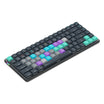
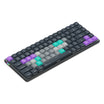
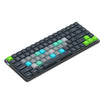
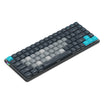

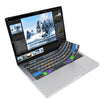
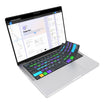
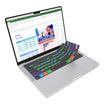


破折号
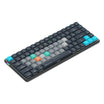
无线快捷键盘
用户指南

连接您的仪表盘
VIA (caniusevia.com) 是一款开源软件,允许完全控制 Dash 上每个键执行的功能。第一次使用 VIA 时,您需要完成几个设置步骤,但之后您就可以连接并直接开始使用。
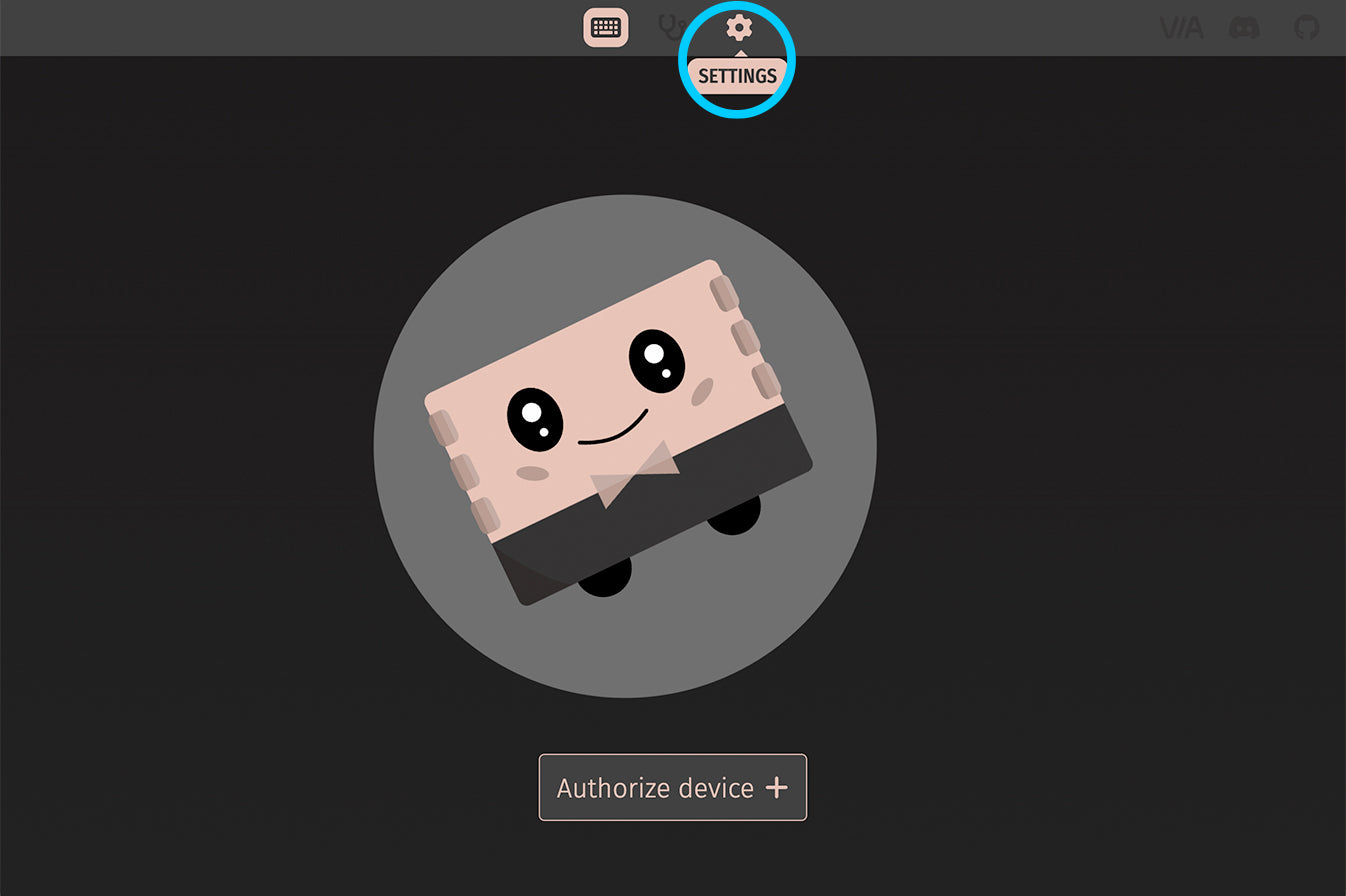
- 使用附带的USB-C电缆将Dash连接到您的计算机。
- 打开基于Chrome的浏览器,如Google Chrome或Microsoft Edge,并访问 usevia.app。
- 选择设置选项卡(齿轮图标)。

- 打开“显示设计选项卡”以显示设计选项卡(画笔图标)。
- 选择设计选项卡(画笔图标)。
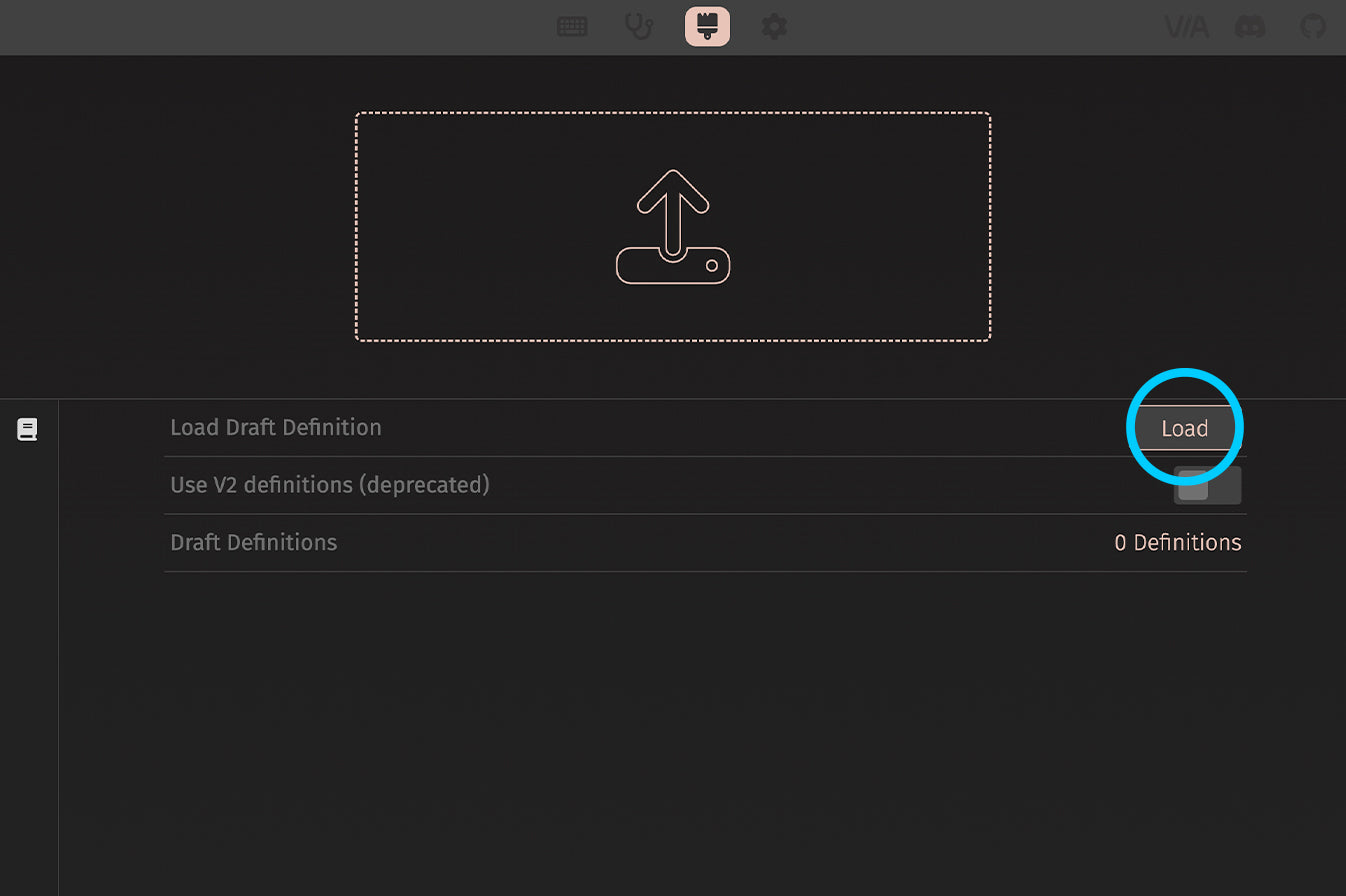
- 导航到设计选项卡(画笔图标),并加载下载的草稿定义文件 在这里。
- 文件加载后,您应该在屏幕顶部看到 Dash 键盘布局,初始设置完成(这只需执行一次)。

- 选择配置选项卡(键盘图标)。
- 然后点击“授权设备”按钮以显示兼容的VIA连接设备列表。
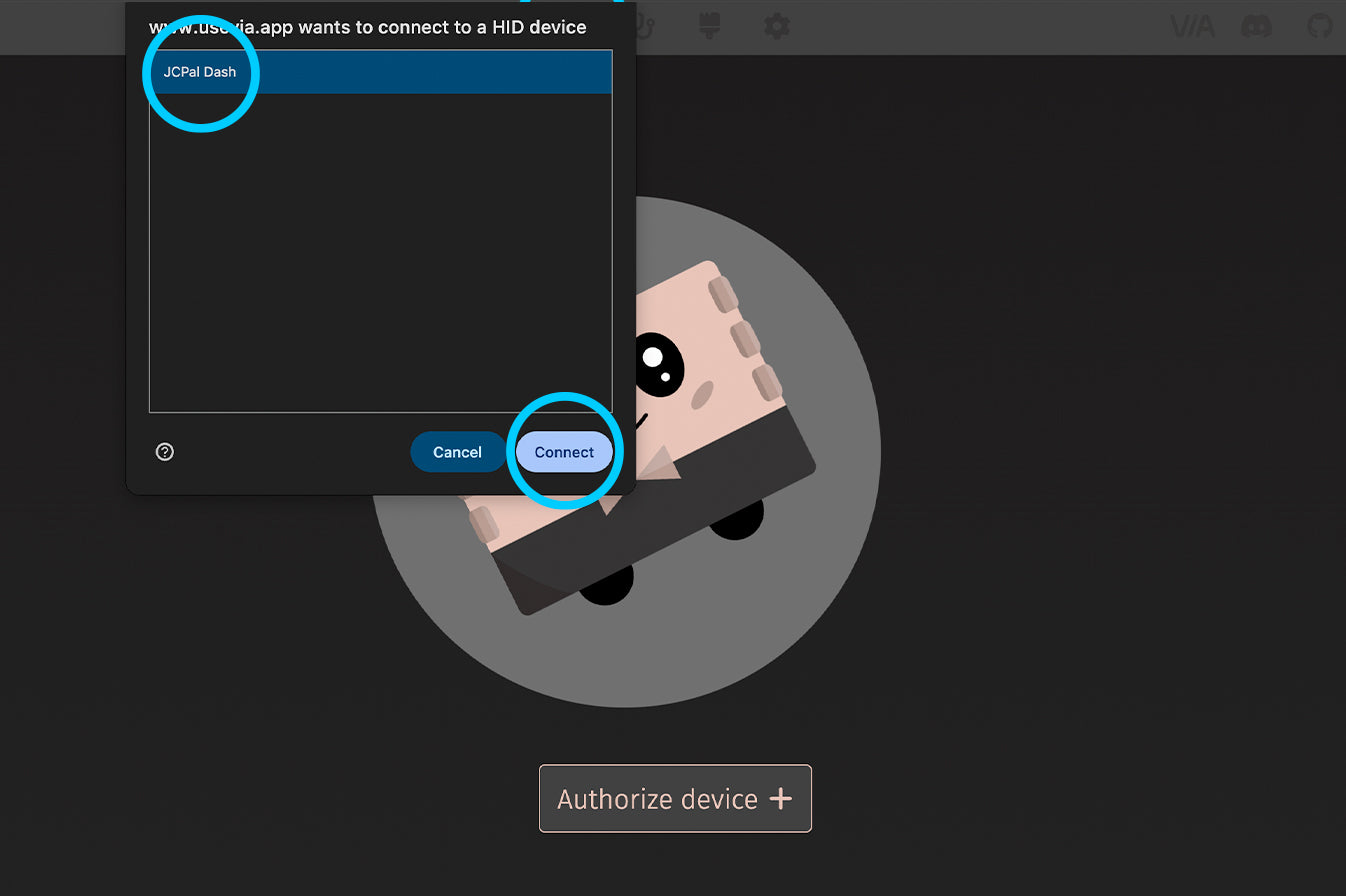
- 从设备列表中选择“JCPal Dash”,然后点击“连接”。
- 配置页面应该会自动加载,但如果没有,请尝试刷新页面并再次连接。如果您遇到问题,请联系我们。

一旦布局加载完成,您就可以开始自定义您的 Dash!
注意:在设置页面(齿轮图标)中,您可以为 VIA 选择不同的颜色键帽主题。我们推荐“海军蓝 A”主题(如下所示),因为这将更清晰地显示 Dash 上不同的按键区域。
自定义您的仪表板
您可以在VIA中发挥创意,并在Dash的四个关键层中编程复杂功能,以支持您的工作流程(最多可以创建16个宏)。您所做的自定义将存储在Dash上,因此它们可以在您连接的任何计算机上工作,无需任何额外的软件。
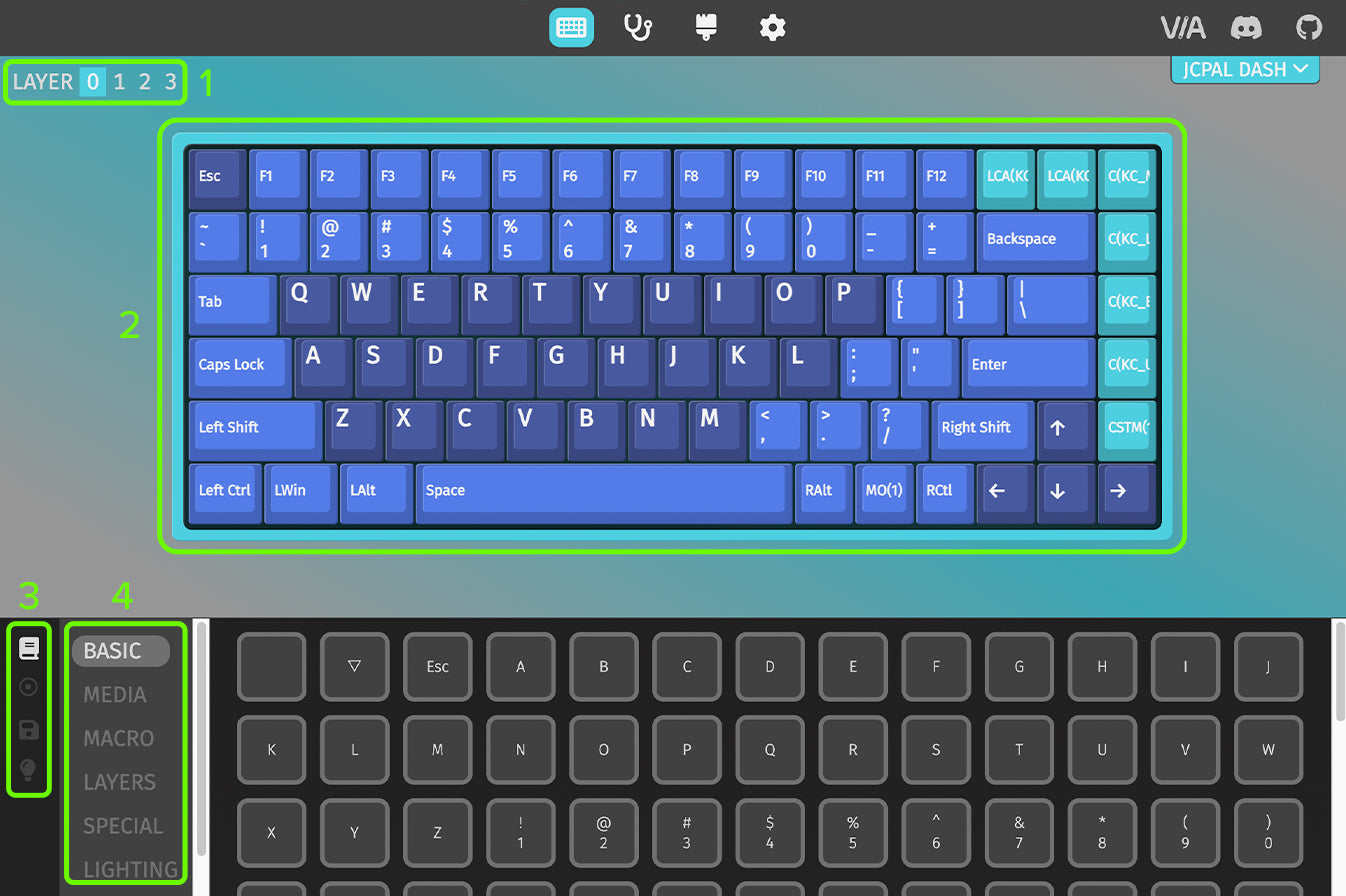
当您第一次加载VIA时,您会看到许多内容:
1. 左上角将显示当前显示的层。
2. 键盘显示每个键的当前功能分配。
3. 这4个图标允许您访问4个主要的VIA控制标签。
4. 此列表显示可以分配给Dash上任何键的功能。
注意:您可以通过使用Dash背面的MAC | WIN开关(层0 / 2)或按住FN键(层1 / 3)在键盘上切换层。

- 要更改键的功能,首先选择适当的层,然后选择您想要自定义的键。
- 一旦高亮显示,从菜单 #4 的列表中选择任何功能,以自动将新功能应用于所选键。
- 在这个例子中,我们将创建一个宏,以便我们可以分配一个新的快捷键。为此,我们将在菜单 #4 中选择宏选项,然后选择一个宏编号,将此宏分配给该键。
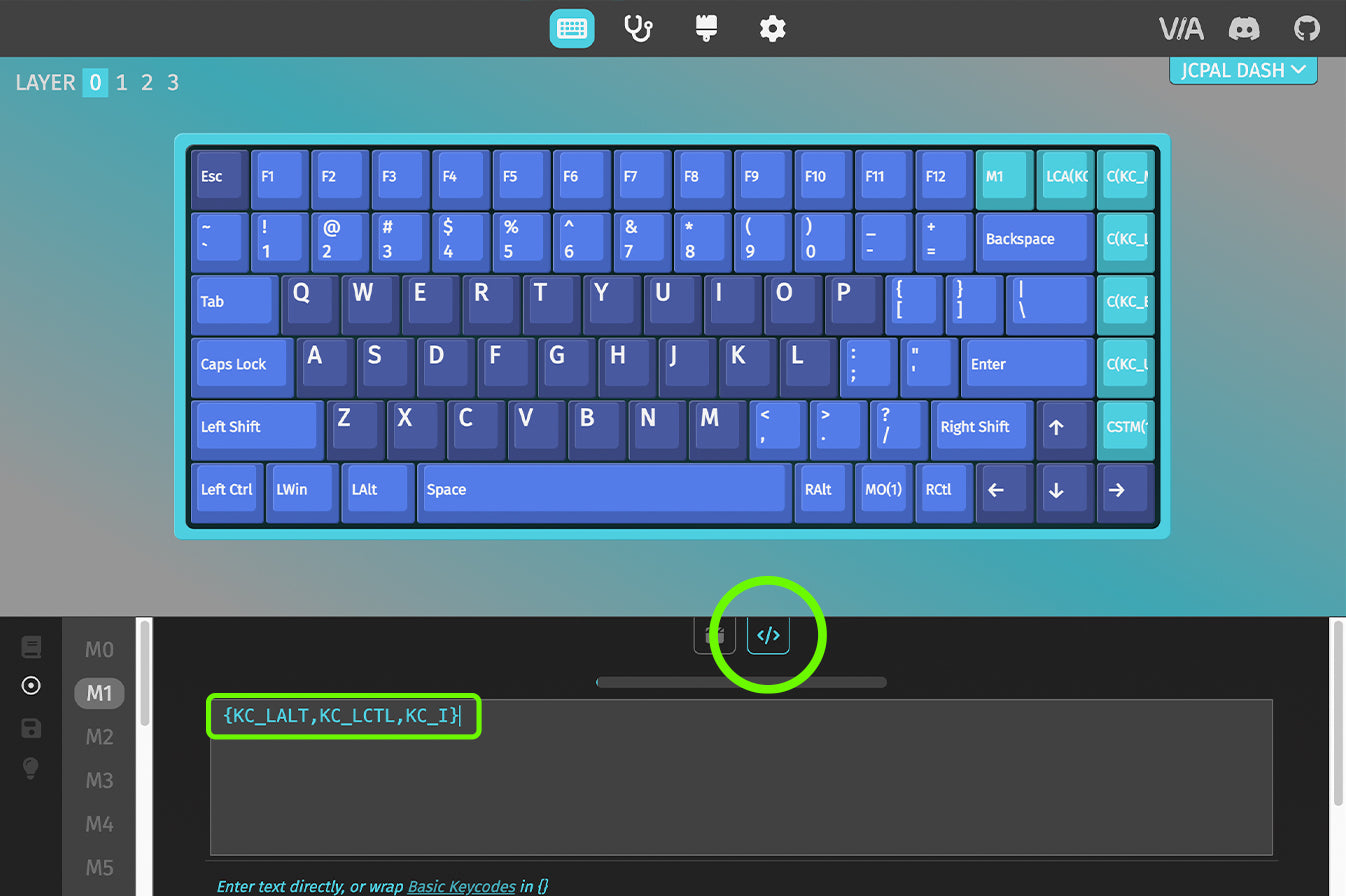
- 当为某个按键分配好 Macro 后(本例中我们使用的是 “M1” 键),就可以为该 Macro 设置具体功能。在菜单 #4 中选择 Macro 选项卡,然后向下滚动,找到你想要编辑的 Macro。
- 你可以通过两种方式来输入 Macro 指令:第一种是录制方式,点击 Record 后,直接按下你需要的按键或快捷键,相关操作会自动显示在窗口中,完成后点击 Stop;第二种是手动方式,切换到 Code 选项卡,从下方对应的快捷指令中复制 VIA 代码并粘贴进去。设置完成后,点击 Save 保存并启用该功能,你的 Dash 就会立即应用这个 Macro 设置。
快捷宏
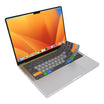
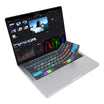
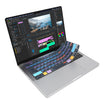
Dash预先编程了七个快捷键,允许您通过一次按键执行多键组合。这些快捷键设置为宏,位于Dash右上角的七个键上。要设置新的快捷键或交换现有的快捷键,您可以使用下面的宏代码在VIA中将功能应用于所需的键。
Photoshop
| Shortcut Hotkey | Description | MacOS VIA Macro | Windows VIA Macro |
|---|---|---|---|
| Canvas Size | Opens the Canvas Size adjustment window |
VIA Code copied: {KC_LALT,KC_LGUI,KC_C}
|
VIA Code copied: {KC_LALT,KC_LCTL,KC_C}
|
| Image Size | Opens the Image Size adjustment window |
VIA Code copied: {KC_LALT,KC_LGUI,KC_I}
|
VIA Code copied: {KC_LALT,KC_LCTL,KC_I}
|
| Curves | Opens the Curves adjustment window |
VIA Code copied: {KC_LGUI,KC_M}
|
VIA Code copied: {KC_LCTL,KC_M}
|
| Levels | Opens the Levels adjustment window |
VIA Code copied: {KC_LGUI,KC_L}
|
VIA Code copied: {KC_LCTL,KC_L}
|
| Color Balance | Opens the Color Balance adjustment window |
VIA Code copied: {KC_LGUI,KC_B}
|
VIA Code copied: {KC_LCTL,KC_B}
|
| Hue/Saturation | Opens the Hue/Saturation adjustment window |
VIA Code copied: {KC_LGUI,KC_U}
|
VIA Code copied: {KC_LCTL,KC_U}
|
| Rulers & Guides | Toggles on/off the Rulers and Guides |
VIA Code copied: {KC_LGUI,KC_R} or {KC_LGUI,KC_SCLN}
|
VIA Code copied: {KC_LCTL,KC_R} or {KC_LCTL,KC_SCLN}
|
| New Layer | Opens the New Layer dialogue box |
VIA Code copied: {KC_LGUI,KC_LSFT,KC_N}
|
VIA Code copied: {KC_LCTL,KC_LSFT,KC_N}
|
| Merge Down | Merges the active layer with the layer below |
VIA Code copied: {KC_LGUI,KC_E}
|
VIA Code copied: {KC_LCTL,KC_E}
|
| Invert Layer | Inverts the colors in the active layer |
VIA Code copied: {KC_LGUI,KC_I}
|
VIA Code copied: {KC_LCTL,KC_I}
|
| Soften Brush | Lowers the brush Hardness level |
VIA Code copied: {KC_LSFT,KC_LBRC}
|
VIA Code copied: {KC_LSFT,KC_LBRC}
|
| Harden Brush | Increases the brush Hardness level |
VIA Code copied: {KC_LSFT,KC_RBRC}
|
VIA Code copied: {KC_LSFT,KC_RBRC}
|
| Next Blend Mode | Change to the next Blending Mode |
VIA Code copied: {KC_LSFT,KC_EQL}
|
VIA Code copied: {KC_LSFT,KC_EQL}
|
| Prev. Blend Mode | Change to the previous Blending Mode |
VIA Code copied: {KC_LSFT,KC_MINS}
|
VIA Code copied: {KC_LSFT,KC_MINS}
|
| Group | Group the selected layers |
VIA Code copied: {KC_LGUI,KC_G}
|
VIA Code copied: {KC_LCTL,KC_G}
|
| Ungroup | Ungroup the selected layer group |
VIA Code copied: {KC_LGUI,KC_LSFT,KC_G}
|
VIA Code copied: {KC_LCTL,KC_LSFT,KC_G}
|
| Inverse Selection | Select the inverse area of the current selection |
VIA Code copied: {KC_LGUI,KC_LSFT,KC_I}
|
VIA Code copied: {KC_LCTL,KC_LSFT,KC_I}
|
| Undo Step | Undo the last action |
VIA Code copied: {KC_LGUI,KC_Z}
|
VIA Code copied: {KC_LCTL,KC_Z}
|
| Redo Step | Redo the last undone action |
VIA Code copied: {KC_LGUI,KC_LSFT,KC_S}
|
VIA Code copied: {KC_LCTL,KC_LSFT,KC_S}
|
| Zoom Out | Zoom out of the canvas |
VIA Code copied: {KC_LGUI,KC_MINS}
|
VIA Code copied: {KC_LCTL,KC_EQL}
|
| Zoom In | Zoom in to the canvas |
VIA Code copied: {KC_LGUI,KC_EQL}
|
VIA Code copied: {KC_LCTL,KC_MINS}
|
| Save | Saves the currently open file |
VIA Code copied: {KC_LGUI,KC_S}
|
VIA Code copied: {KC_LCTL,KC_S}
|
Premiere Pro
| Shortcut Hotkey | Description | MacOS VIA Macro | Windows VIA Macro |
|---|---|---|---|
| New Project | Create a new Project |
VIA Code copied: {KC_LALT,KC_LGUI,KC_N}
|
VIA Code copied: {KC_LCTL,KC_LALT,KC_N}
|
| New Sequence | Create a new Sequence |
VIA Code copied: {KC_LGUI,KC_N}
|
VIA Code copied: {KC_LCTL,KC_N}
|
| Ripple Delete | Delete clip and close gap |
VIA Code copied: {KC_LALT,KC_BSPC}
|
VIA Code copied: {KC_LALT,KC_BSPC}
|
| Toggle Clip | Toggle a clip on/off |
VIA Code copied: {KC_LSFT,KC_LGUI,KC_E}
|
VIA Code copied: {KC_LSFT,KC_E}
|
| Apply Transition | Apply a video transition |
VIA Code copied: {KC_LGUI,KC_D}
|
VIA Code copied: {KC_LCTL,KC_D}
|
| Add Edit | Add an edit at the playhead position |
VIA Code copied: {KC_LGUI,KC_K}
|
VIA Code copied: {KC_LCTL,KC_K}
|
| Audio Transition | Apply an audio transition |
VIA Code copied: {KC_LSFT,KC_LGUI,KC_D}
|
VIA Code copied: {KC_LCTL,KC_LSFT,KC_D}
|
| Duplicate | Duplicate item |
VIA Code copied: {KC_LSFT,KC_LGUI,KC_SLSH}
|
VIA Code copied: {KC_LCTL,KC_LSFT,KC_SLSH}
|
| Group Clips | Group selected clips |
VIA Code copied: {KC_LGUI,KC_G}
|
VIA Code copied: {KC_LCTL,KC_G}
|
| Add Caption Track | Add a new caption track |
VIA Code copied: {KC_LALT,KC_LGUI,KC_A}
|
VIA Code copied: {KC_LCTL,KC_LALT,KC_A}
|
| Add Caption At Playhead | Add a new caption at the playhead position |
VIA Code copied: {KC_LALT,KC_LGUI,KC_C}
|
VIA Code copied: {KC_LCTL,KC_LALT,KC_C}
|
| Rev. Match Frame | Reverse Match Frame |
VIA Code copied: {KC_LSFT,KC_R}
|
VIA Code copied: {KC_LSFT,KC_R}
|
| Ungroup Clips | Ungroup selected clip group |
VIA Code copied: {KC_LSFT,KC_LGUI,KC_G}
|
VIA Code copied: {KC_LCTL,KC_LSFT,KC_G}
|
| Next Caption | Go to next caption segment |
VIA Code copied: {KC_LALT,KC_LGUI,KC_DOWN}
|
VIA Code copied: {KC_LCTL,KC_LALT,KC_DOWN}
|
| Previous Caption | Go to previous caption segment |
VIA Code copied: {KC_LALT,KC_LGUI,KC_UP}
|
VIA Code copied: {KC_LCTL,KC_LALT,KC_UP}
|
| Make Subsequence | Make subsequence |
VIA Code copied: {KC_LGUI,KC_U}
|
VIA Code copied: {KC_LCTL,KC_U}
|
| Default Transition | Apply Default Transitions to Selection |
VIA Code copied: {KC_LSFT,KC_D}
|
VIA Code copied: {KC_LSFT,KC_D}
|
| Speed/Duration | Edit the clip speed/duration |
VIA Code copied: {KC_LGUI,KC_R}
|
VIA Code copied: {KC_LCTL,KC_R}
|
| Del. Markers | Clear all the markers |
VIA Code copied: {KC_LALT,KC_LGUI,KC_M}
|
VIA Code copied: {KC_LCTL,KC_LALT,KC_LSFT,KC_M}
|
| Clear In/Out | Clear the in/out points |
VIA Code copied: {KC_LALT,KC_X}
|
VIA Code copied: {KC_LCTL,KC_LSFT,KC_X}
|
| Make Subclip | Make a subclip |
VIA Code copied: {KC_LGUI,KC_U}
|
VIA Code copied: {KC_LCTL,KC_U}
|
| Edit All Tracks | Apply edit to all tracks at playhead position |
VIA Code copied: {KC_LSFT,KC_LGUI,KC_K}
|
VIA Code copied: {KC_LCTL,KC_LSFT,KC_K}
|
Lightroom
| Shortcut Hotkey | Description | MacOS VIA Macro | Windows VIA Macro |
|---|---|---|---|
| Auto Settings | Automatically adjusts the tone of the image to improve balance |
VIA Code copied: {KC_LGUI,KC_U}
|
VIA Code copied: {KC_LCTL,KC_U}
|
| Auto White Bal. | Automatically adjusts the white balance of the image |
VIA Code copied: {KC_LGUI,KC_LSFT,KC_U}
|
VIA Code copied: {KC_LCTL,KC_LSFT,KC_U}
|
| Edit in Photoshop | Edit the currently selected image in Photoshop |
VIA Code copied: {KC_LGUI,KC_E}
|
VIA Code copied: {KC_LCTL,KC_E}
|
| New Snapshot | Create a new snapshot of the selected image's settings |
VIA Code copied: {KC_LGUI,KC_N}
|
VIA Code copied: {KC_LCTL,KC_N}
|
| New Mask | Toggle the Masking menu |
VIA Code copied: {KC_LSFT,KC_W}
|
VIA Code copied: {KC_LSFT,KC_W}
|
| Copy Settings | Open the Copy Settings dialogue box |
VIA Code copied: {KC_LGUI,KC_LSFT,KC_C}
|
VIA Code copied: {KC_LCTL,KC_LSFT,KC_C}
|
| Paste Settings | Apply the copied settings to the selected image |
VIA Code copied: {KC_LGUI,KC_LSFT,KC_V}
|
VIA Code copied: {KC_LCTL,KC_LSFT,KC_V}
|
| Export | Export the selected photo(s) |
VIA Code copied: {KC_LGUI,KC_LSFT,KC_E}
|
VIA Code copied: {KC_LCTL,KC_LSFT,KC_E}
|
| Reset Settings | Reset all settings for the currently selected image |
VIA Code copied: {KC_LGUI,KC_LSFT,KC_R}
|
VIA Code copied: {KC_LCTL,KC_LSFT,KC_R}
|
| Enhance Photo | Open the Enhance settings to improve the image quality using AI |
VIA Code copied: {KC_LCTL,KC_LALT,KC_I}
|
VIA Code copied: {KC_LCTL,KC_LALT,KC_I}
|
| Print Module | Go to the Print Module |
VIA Code copied: {KC_LGUI,KC_LALT,KC_6}
|
VIA Code copied: {KC_LCTL,KC_LALT,KC_6}
|
| Reset Crop | Reset the crop of the selected image |
VIA Code copied: {KC_LGUI,KC_LALT,KC_R}
|
VIA Code copied: {KC_LCTL,KC_LALT,KC_R}
|
| Radial Gradient | Create a new Radial Gradient Mask |
VIA Code copied: {KC_LSFT,KC_M}
|
VIA Code copied: {KC_LSFT,KC_M}
|
| Import | Import Photos and Videos |
VIA Code copied: {KC_LGUI,KC_LSFT,KC_I}
|
VIA Code copied: {KC_LCTL,KC_LSFT,KC_I}
|
| Toggle Filter | Toggle the Filters On/Off |
VIA Code copied: {KC_LGUI,KC_L}
|
VIA Code copied: {KC_LCTL,KC_L}
|
| Zoom Out | Zoom out from the image |
VIA Code copied: {KC_LGUI,KC_MINS}
|
VIA Code copied: {KC_LCTL,KC_MINS}
|
| Zoom In | Zoom in to the image |
VIA Code copied: {KC_LGUI,KC_EQL}
|
VIA Code copied: {KC_LCTL,KC_EQL}
|
| Rotate Left | Rotate the photo left (Counterclockwise) |
VIA Code copied: {KC_LGUI,KC_LBRC}
|
VIA Code copied: {KC_LCTL,KC_LBRC}
|
| Rotate Right | Rotate the photo right (Clockwise) |
VIA Code copied: {KC_LGUI,KC_RBRC}
|
VIA Code copied: {KC_LCTL,KC_RBRC}
|
| Save Quick Collection | Open the Save Quick Collection dialogue box |
VIA Code copied: {KC_LGUI,KC_LALT,KC_B}
|
VIA Code copied: {KC_LCTL,KC_LALT,KC_B}
|
| Undo Action | Undo the last action |
VIA Code copied: {KC_LGUI,KC_Z}
|
VIA Code copied: {KC_LCTL,KC_Z}
|
| Redo Action | Redo the last undo action |
VIA Code copied: {KC_LGUI,KC_LSFT,KC_S}
|
VIA Code copied: {KC_LCTL,KC_LSFT,KC_S}
|
Final Cut Pro
| Shortcut Hotkey | Description | MacOS VIA Macro |
|---|---|---|
| Compound Clip | Create a New Compound Clip |
VIA Code copied: {KC_LALT,KC_G}
|
| Enhance Light & Color | Automatically enhances the Light and Color in your clips (Final Cut Pro 10.8 and newer) |
VIA Code copied: {KC_LCTL,KC_LALT,KC_LGUI,KC_O}
|
| Project Snapshot | Take a Snapshot of the current Project, saving its current state within the Project file |
VIA Code copied: {KC_LSFT,KC_LGUI,KC_D}
|
| Paste Attributes | Paste copied attributes and their settings to the selection |
VIA Code copied: {KC_LSFT,KC_LGUI,KC_V}
|
| Cut Clips At Playhead | Cut all clips at the skimmer or playhead location |
VIA Code copied: {KC_LSFT,KC_LGUI,KC_B}
|
| Undo Action | Undo the last command |
VIA Code copied: {KC_LGUI,KC_Z}
|
| Redo Action | Redo the last command |
VIA Code copied: {KC_LGUI,KC_LSFT,KC_S}
|
| Toggle Library | Toggle Show/Hide the Library & Browser module |
VIA Code copied: {KC_LCTL,KC_LGUI,KC_1}
|
| Time to Range | Trims the clip start and end points to match the range selection. |
VIA Code copied: {KC_LALT,KC_BSLS}
|
| Create Storyline | Create a storyline from a selection of connected clips that don’t overlap |
VIA Code copied: {KC_LGUI,KC_G}
|
| Play Full Screen | Play full screen from the skimmer or playhead position |
VIA Code copied: {KC_LSFT,KC_LGUI,KC_F}
|
| Import Media | Opens the Media Import dialogue box |
VIA Code copied: {KC_LGUI,KC_I}
|
| New Event | Creates a new event |
VIA Code copied: {KC_LALT,KC_N}
|
| New Project | Creates a new project |
VIA Code copied: {KC_LGUI,KC_N}
|
| Export File | Opens the Export File dialogue box |
VIA Code copied: {KC_LGUI,KC_E}
|
| Timeline Scrolling | Scrolls the timeline in line with the playhead during playback |
VIA Code copied: {KC_LALT,KC_LSFT,KC_S}
|
| Transitions Browser | Toggle Show/Hide the Transitions Browser |
VIA Code copied: {KC_LCTL,KC_LGUI,KC_5}
|
| Retime Edit | Toggle Show/Hide the Retime Editor |
VIA Code copied: {KC_LGUI,KC_R}
|
| Zoom In Timeline | Zoom in to the browser, viewer, or timeline |
VIA Code copied: {KC_LGUI,KC_EQL}
|
| Zoom Out Timeline | Zoom out of the browser, viewer, or timeline |
VIA Code copied: {KC_LGUI,KC_MINS}
|
| Add Connect Title | Connect a basic title to the primary storyline |
VIA Code copied: {KC_LCTL,KC_T}
|
| Insert Gap Clip | Inserts a gap clip at the skimmer or playhead location |
VIA Code copied: {KC_LALT,KC_W}
|
Davinci
| Shortcut Hotkey | Description | MacOS VIA Macro | Windows VIA Macro |
|---|---|---|---|
| Copy Attributes | Copy a clip/object or its attributes |
VIA Code copied: {KC_LGUI,KC_C}
|
VIA Code copied: {KC_LCTL,KC_C}
|
| Paste Attributes | Open Paste Attributes dialogue box, allowing you to paste specific settings |
VIA Code copied: {KC_LALT, KC_V}
|
VIA Code copied: {KC_LALT,KC_V}
|
| Split Clip | Split all the clips at the playhead position |
VIA Code copied: {KC_LGUI,KC_BSLS}
|
VIA Code copied: {KC_LCTL,KC_BSLS}
|
| Timeline Zoom | Toggle between showing the timeline in its entirety and the previous timeline zoom level |
VIA Code copied: {KC_LSFT,KC_Z}
|
VIA Code copied: {KC_LSFT,KC_Z}
|
| Transition | Add a transition at the selected edit points |
VIA Code copied: {KC_LGUI,KC_T}
|
VIA Code copied: {KC_LCTL,KC_T}
|
| Undo Step | Undo the last action |
VIA Code copied: {KC_LGUI,KC_Z}
|
VIA Code copied: {KC_LCTL,KC_Z}
|
| Redo Step | Redo the last undone action |
VIA Code copied: {KC_LGUI,KC_LSFT,KC_Z}
|
VIA Code copied: {KC_LCTL,KC_LSFT,KC_Z}
|
| Join Clips | Join the selected clips |
VIA Code copied: {KC_LALT,KC_BSLS}
|
VIA Code copied: {KC_LALT,KC_BSLS}
|
| Select All Clips Forward | Select all clips (on all tracks) after the playhead position |
VIA Code copied: {KC_LALT,KC_Y}
|
VIA Code copied: {KC_LALT,KC_Y}
|
| Link Clips | Link all the selected clips |
VIA Code copied: {KC_LALT,KC_LGUI,KC_L}
|
VIA Code copied: {KC_LALT,KC_LCTL,KC_L}
|
| Video Scopes | Toggle on/off the Video Scopes window |
VIA Code copied: {KC_LGUI,KC_LSFT,KC_W}
|
VIA Code copied: {KC_LCTL,KC_LSFT,KC_W}
|
| New Bin | Create a new bin (in Media panel) |
VIA Code copied: {KC_LGUI,KC_LSFT,KC_N}
|
VIA Code copied: {KC_LCTL,KC_LSFT,KC_N}
|
| New Timeline | Create a new timeline (in the Cut, Edit, or Fairlight panels) |
VIA Code copied: {KC_LGUI,KC_N}
|
VIA Code copied: {KC_LCTL,KC_N}
|
| Retime Controls | Toggle the Retime controls for the selected clip (in the Edit panel) |
VIA Code copied: {KC_LGUI,KC_R}
|
VIA Code copied: {KC_LCTL,KC_R}
|
| Ripple Overwrite | Perform a ripple overwrite |
VIA Code copied: {KC_LSFT, KC_F10}
|
VIA Code copied: {KC_LSFT, KC_F10}
|
| Trim Start | Trim the start of the clip to the playhead position |
VIA Code copied: {KC_LSFT, KC_LBRC}
|
VIA Code copied: {KC_LSFT, KC_LBRC}
|
| Trim End | Trim the end of the clip to the playhead position |
VIA Code copied: {KC_LSFT, KC_RBRC}
|
VIA Code copied: {KC_LSFT, KC_RBRC}
|
| Previous Node | Move to the previous node (Color panel) |
VIA Code copied: {KC_LALT,KC_LSFT,KC_SCLN}
|
VIA Code copied: {KC_LALT,KC_LSFT,KC_SCLN}
|
| Next Node | Move to the next node (Color panel) |
VIA Code copied: {KC_LALT,KC_LSFT,KC_QUOT}
|
VIA Code copied: {KC_LALT,KC_LSFT,KC_QUOT}
|
| Add Node | Add a new serial node after the selected node (Color panel) |
VIA Code copied: {KC_LALT,KC_S}
|
VIA Code copied: {KC_LALT,KC_S}
|
| Toggle Node | Toggle the selected Node on or off (Color panel) |
VIA Code copied: {KC_LGUI,KC_D}
|
VIA Code copied: {KC_LCTL,KC_D}
|
| Play In to Out | Play the timeline from the In to Out range |
VIA Code copied: {KC_LALT,KC_SLSH}
|
VIA Code copied: {KC_LALT,KC_SLSH}
|
| Shortcut Hotkey | Description | MacOS VIA Macro | Windows VIA Macro |
|---|---|---|---|
| Canvas Size | Opens the Canvas Size adjustment window |
VIA Code copied: {KC_LALT,KC_LGUI,KC_C}
|
VIA Code copied: {KC_LALT,KC_LCTL,KC_C}
|
| Image Size | Opens the Image Size adjustment window |
VIA Code copied: {KC_LALT,KC_LGUI,KC_I}
|
VIA Code copied: {KC_LALT,KC_LCTL,KC_I}
|
| Curves | Opens the Curves adjustment window |
VIA Code copied: {KC_LGUI,KC_M}
|
VIA Code copied: {KC_LCTL,KC_M}
|
| Levels | Opens the Levels adjustment window |
VIA Code copied: {KC_LGUI,KC_L}
|
VIA Code copied: {KC_LCTL,KC_L}
|
| Color Balance | Opens the Color Balance adjustment window |
VIA Code copied: {KC_LGUI,KC_B}
|
VIA Code copied: {KC_LCTL,KC_B}
|
| Hue/Saturation | Opens the Hue/Saturation adjustment window |
VIA Code copied: {KC_LGUI,KC_U}
|
VIA Code copied: {KC_LCTL,KC_U}
|
| Rulers & Guides | Toggles on/off the Rulers and Guides |
VIA Code copied: {KC_LGUI,KC_R} or {KC_LGUI,KC_SCLN}
|
VIA Code copied: {KC_LCTL,KC_R} or {KC_LCTL,KC_SCLN}
|
| New Layer | Opens the New Layer dialogue box |
VIA Code copied: {KC_LGUI,KC_LSFT,KC_N}
|
VIA Code copied: {KC_LCTL,KC_LSFT,KC_N}
|
| Merge Down | Merges the active layer with the layer below |
VIA Code copied: {KC_LGUI,KC_E}
|
VIA Code copied: {KC_LCTL,KC_E}
|
| Invert Layer | Inverts the colors in the active layer |
VIA Code copied: {KC_LGUI,KC_I}
|
VIA Code copied: {KC_LCTL,KC_I}
|
| Soften Brush | Lowers the brush Hardness level |
VIA Code copied: {KC_LSFT,KC_LBRC}
|
VIA Code copied: {KC_LSFT,KC_LBRC}
|
| Harden Brush | Increases the brush Hardness level |
VIA Code copied: {KC_LSFT,KC_RBRC}
|
VIA Code copied: {KC_LSFT,KC_RBRC}
|
| Next Blend Mode | Change to the next Blending Mode |
VIA Code copied: {KC_LSFT,KC_EQL}
|
VIA Code copied: {KC_LSFT,KC_EQL}
|
| Prev. Blend Mode | Change to the previous Blending Mode |
VIA Code copied: {KC_LSFT,KC_MINS}
|
VIA Code copied: {KC_LSFT,KC_MINS}
|
| Group | Group the selected layers |
VIA Code copied: {KC_LGUI,KC_G}
|
VIA Code copied: {KC_LCTL,KC_G}
|
| Ungroup | Ungroup the selected layer group |
VIA Code copied: {KC_LGUI,KC_LSFT,KC_G}
|
VIA Code copied: {KC_LCTL,KC_LSFT,KC_G}
|
| Inverse Selection | Select the inverse area of the current selection |
VIA Code copied: {KC_LGUI,KC_LSFT,KC_I}
|
VIA Code copied: {KC_LCTL,KC_LSFT,KC_I}
|
| Undo Step | Undo the last action |
VIA Code copied: {KC_LGUI,KC_Z}
|
VIA Code copied: {KC_LCTL,KC_Z}
|
| Redo Step | Redo the last undone action |
VIA Code copied: {KC_LGUI,KC_LSFT,KC_S}
|
VIA Code copied: {KC_LCTL,KC_LSFT,KC_S}
|
| Zoom Out | Zoom out of the canvas |
VIA Code copied: {KC_LGUI,KC_MINS}
|
VIA Code copied: {KC_LCTL,KC_EQL}
|
| Zoom In | Zoom in to the canvas |
VIA Code copied: {KC_LGUI,KC_EQL}
|
VIA Code copied: {KC_LCTL,KC_MINS}
|
| Save | Saves the currently open file |
VIA Code copied: {KC_LGUI,KC_S}
|
VIA Code copied: {KC_LCTL,KC_S}
|
| Shortcut Hotkey | Description | MacOS VIA Macro | Windows VIA Macro |
|---|---|---|---|
| New Project | Create a new Project |
VIA Code copied: {KC_LALT,KC_LGUI,KC_N}
|
VIA Code copied: {KC_LCTL,KC_LALT,KC_N}
|
| New Sequence | Create a new Sequence |
VIA Code copied: {KC_LGUI,KC_N}
|
VIA Code copied: {KC_LCTL,KC_N}
|
| Ripple Delete | Delete clip and close gap |
VIA Code copied: {KC_LALT,KC_BSPC}
|
VIA Code copied: {KC_LALT,KC_BSPC}
|
| Toggle Clip | Toggle a clip on/off |
VIA Code copied: {KC_LSFT,KC_LGUI,KC_E}
|
VIA Code copied: {KC_LSFT,KC_E}
|
| Apply Transition | Apply a video transition |
VIA Code copied: {KC_LGUI,KC_D}
|
VIA Code copied: {KC_LCTL,KC_D}
|
| Add Edit | Add an edit at the playhead position |
VIA Code copied: {KC_LGUI,KC_K}
|
VIA Code copied: {KC_LCTL,KC_K}
|
| Audio Transition | Apply an audio transition |
VIA Code copied: {KC_LSFT,KC_LGUI,KC_D}
|
VIA Code copied: {KC_LCTL,KC_LSFT,KC_D}
|
| Duplicate | Duplicate item |
VIA Code copied: {KC_LSFT,KC_LGUI,KC_SLSH}
|
VIA Code copied: {KC_LCTL,KC_LSFT,KC_SLSH}
|
| Group Clips | Group selected clips |
VIA Code copied: {KC_LGUI,KC_G}
|
VIA Code copied: {KC_LCTL,KC_G}
|
| Add Caption Track | Add a new caption track |
VIA Code copied: {KC_LALT,KC_LGUI,KC_A}
|
VIA Code copied: {KC_LCTL,KC_LALT,KC_A}
|
| Add Caption At Playhead | Add a new caption at the playhead position |
VIA Code copied: {KC_LALT,KC_LGUI,KC_C}
|
VIA Code copied: {KC_LCTL,KC_LALT,KC_C}
|
| Rev. Match Frame | Reverse Match Frame |
VIA Code copied: {KC_LSFT,KC_R}
|
VIA Code copied: {KC_LSFT,KC_R}
|
| Ungroup Clips | Ungroup selected clip group |
VIA Code copied: {KC_LSFT,KC_LGUI,KC_G}
|
VIA Code copied: {KC_LCTL,KC_LSFT,KC_G}
|
| Next Caption | Go to next caption segment |
VIA Code copied: {KC_LALT,KC_LGUI,KC_DOWN}
|
VIA Code copied: {KC_LCTL,KC_LALT,KC_DOWN}
|
| Previous Caption | Go to previous caption segment |
VIA Code copied: {KC_LALT,KC_LGUI,KC_UP}
|
VIA Code copied: {KC_LCTL,KC_LALT,KC_UP}
|
| Make Subsequence | Make subsequence |
VIA Code copied: {KC_LGUI,KC_U}
|
VIA Code copied: {KC_LCTL,KC_U}
|
| Default Transition | Apply Default Transitions to Selection |
VIA Code copied: {KC_LSFT,KC_D}
|
VIA Code copied: {KC_LSFT,KC_D}
|
| Speed/Duration | Edit the clip speed/duration |
VIA Code copied: {KC_LGUI,KC_R}
|
VIA Code copied: {KC_LCTL,KC_R}
|
| Del. Markers | Clear all the markers |
VIA Code copied: {KC_LALT,KC_LGUI,KC_M}
|
VIA Code copied: {KC_LCTL,KC_LALT,KC_LSFT,KC_M}
|
| Clear In/Out | Clear the in/out points |
VIA Code copied: {KC_LALT,KC_X}
|
VIA Code copied: {KC_LCTL,KC_LSFT,KC_X}
|
| Make Subclip | Make a subclip |
VIA Code copied: {KC_LGUI,KC_U}
|
VIA Code copied: {KC_LCTL,KC_U}
|
| Edit All Tracks | Apply edit to all tracks at playhead position |
VIA Code copied: {KC_LSFT,KC_LGUI,KC_K}
|
VIA Code copied: {KC_LCTL,KC_LSFT,KC_K}
|
| Shortcut Hotkey | Description | MacOS VIA Macro | Windows VIA Macro |
|---|---|---|---|
| Auto Settings | Automatically adjusts the tone of the image to improve balance |
VIA Code copied: {KC_LGUI,KC_U}
|
VIA Code copied: {KC_LCTL,KC_U}
|
| Auto White Bal. | Automatically adjusts the white balance of the image |
VIA Code copied: {KC_LGUI,KC_LSFT,KC_U}
|
VIA Code copied: {KC_LCTL,KC_LSFT,KC_U}
|
| Edit in Photoshop | Edit the currently selected image in Photoshop |
VIA Code copied: {KC_LGUI,KC_E}
|
VIA Code copied: {KC_LCTL,KC_E}
|
| New Snapshot | Create a new snapshot of the selected image's settings |
VIA Code copied: {KC_LGUI,KC_N}
|
VIA Code copied: {KC_LCTL,KC_N}
|
| New Mask | Toggle the Masking menu |
VIA Code copied: {KC_LSFT,KC_W}
|
VIA Code copied: {KC_LSFT,KC_W}
|
| Copy Settings | Open the Copy Settings dialogue box |
VIA Code copied: {KC_LGUI,KC_LSFT,KC_C}
|
VIA Code copied: {KC_LCTL,KC_LSFT,KC_C}
|
| Paste Settings | Apply the copied settings to the selected image |
VIA Code copied: {KC_LGUI,KC_LSFT,KC_V}
|
VIA Code copied: {KC_LCTL,KC_LSFT,KC_V}
|
| Export | Export the selected photo(s) |
VIA Code copied: {KC_LGUI,KC_LSFT,KC_E}
|
VIA Code copied: {KC_LCTL,KC_LSFT,KC_E}
|
| Reset Settings | Reset all settings for the currently selected image |
VIA Code copied: {KC_LGUI,KC_LSFT,KC_R}
|
VIA Code copied: {KC_LCTL,KC_LSFT,KC_R}
|
| Enhance Photo | Open the Enhance settings to improve the image quality using AI |
VIA Code copied: {KC_LCTL,KC_LALT,KC_I}
|
VIA Code copied: {KC_LCTL,KC_LALT,KC_I}
|
| Print Module | Go to the Print Module |
VIA Code copied: {KC_LGUI,KC_LALT,KC_6}
|
VIA Code copied: {KC_LCTL,KC_LALT,KC_6}
|
| Reset Crop | Reset the crop of the selected image |
VIA Code copied: {KC_LGUI,KC_LALT,KC_R}
|
VIA Code copied: {KC_LCTL,KC_LALT,KC_R}
|
| Radial Gradient | Create a new Radial Gradient Mask |
VIA Code copied: {KC_LSFT,KC_M}
|
VIA Code copied: {KC_LSFT,KC_M}
|
| Import | Import Photos and Videos |
VIA Code copied: {KC_LGUI,KC_LSFT,KC_I}
|
VIA Code copied: {KC_LCTL,KC_LSFT,KC_I}
|
| Toggle Filter | Toggle the Filters On/Off |
VIA Code copied: {KC_LGUI,KC_L}
|
VIA Code copied: {KC_LCTL,KC_L}
|
| Zoom Out | Zoom out from the image |
VIA Code copied: {KC_LGUI,KC_MINS}
|
VIA Code copied: {KC_LCTL,KC_MINS}
|
| Zoom In | Zoom in to the image |
VIA Code copied: {KC_LGUI,KC_EQL}
|
VIA Code copied: {KC_LCTL,KC_EQL}
|
| Rotate Left | Rotate the photo left (Counterclockwise) |
VIA Code copied: {KC_LGUI,KC_LBRC}
|
VIA Code copied: {KC_LCTL,KC_LBRC}
|
| Rotate Right | Rotate the photo right (Clockwise) |
VIA Code copied: {KC_LGUI,KC_RBRC}
|
VIA Code copied: {KC_LCTL,KC_RBRC}
|
| Save Quick Collection | Open the Save Quick Collection dialogue box |
VIA Code copied: {KC_LGUI,KC_LALT,KC_B}
|
VIA Code copied: {KC_LCTL,KC_LALT,KC_B}
|
| Undo Action | Undo the last action |
VIA Code copied: {KC_LGUI,KC_Z}
|
VIA Code copied: {KC_LCTL,KC_Z}
|
| Redo Action | Redo the last undo action |
VIA Code copied: {KC_LGUI,KC_LSFT,KC_S}
|
VIA Code copied: {KC_LCTL,KC_LSFT,KC_S}
|
| Shortcut Hotkey | Description | MacOS VIA Macro |
|---|---|---|
| Compound Clip | Create a New Compound Clip |
VIA Code copied: {KC_LALT,KC_G}
|
| Enhance Light & Color | Automatically enhances the Light and Color in your clips (Final Cut Pro 10.8 and newer) |
VIA Code copied: {KC_LCTL,KC_LALT,KC_LGUI,KC_O}
|
| Project Snapshot | Take a Snapshot of the current Project, saving its current state within the Project file |
VIA Code copied: {KC_LSFT,KC_LGUI,KC_D}
|
| Paste Attributes | Paste copied attributes and their settings to the selection |
VIA Code copied: {KC_LSFT,KC_LGUI,KC_V}
|
| Cut Clips At Playhead | Cut all clips at the skimmer or playhead location |
VIA Code copied: {KC_LSFT,KC_LGUI,KC_B}
|
| Undo Action | Undo the last command |
VIA Code copied: {KC_LGUI,KC_Z}
|
| Redo Action | Redo the last command |
VIA Code copied: {KC_LGUI,KC_LSFT,KC_S}
|
| Toggle Library | Toggle Show/Hide the Library & Browser module |
VIA Code copied: {KC_LCTL,KC_LGUI,KC_1}
|
| Time to Range | Trims the clip start and end points to match the range selection. |
VIA Code copied: {KC_LALT,KC_BSLS}
|
| Create Storyline | Create a storyline from a selection of connected clips that don’t overlap |
VIA Code copied: {KC_LGUI,KC_G}
|
| Play Full Screen | Play full screen from the skimmer or playhead position |
VIA Code copied: {KC_LSFT,KC_LGUI,KC_F}
|
| Import Media | Opens the Media Import dialogue box |
VIA Code copied: {KC_LGUI,KC_I}
|
| New Event | Creates a new event |
VIA Code copied: {KC_LALT,KC_N}
|
| New Project | Creates a new project |
VIA Code copied: {KC_LGUI,KC_N}
|
| Export File | Opens the Export File dialogue box |
VIA Code copied: {KC_LGUI,KC_E}
|
| Timeline Scrolling | Scrolls the timeline in line with the playhead during playback |
VIA Code copied: {KC_LALT,KC_LSFT,KC_S}
|
| Transitions Browser | Toggle Show/Hide the Transitions Browser |
VIA Code copied: {KC_LCTL,KC_LGUI,KC_5}
|
| Retime Edit | Toggle Show/Hide the Retime Editor |
VIA Code copied: {KC_LGUI,KC_R}
|
| Zoom In Timeline | Zoom in to the browser, viewer, or timeline |
VIA Code copied: {KC_LGUI,KC_EQL}
|
| Zoom Out Timeline | Zoom out of the browser, viewer, or timeline |
VIA Code copied: {KC_LGUI,KC_MINS}
|
| Add Connect Title | Connect a basic title to the primary storyline |
VIA Code copied: {KC_LCTL,KC_T}
|
| Insert Gap Clip | Inserts a gap clip at the skimmer or playhead location |
VIA Code copied: {KC_LALT,KC_W}
|
| Shortcut Hotkey | Description | MacOS VIA Macro | Windows VIA Macro |
|---|---|---|---|
| Copy Attributes | Copy a clip/object or its attributes |
VIA Code copied: {KC_LGUI,KC_C}
|
VIA Code copied: {KC_LCTL,KC_C}
|
| Paste Attributes | Open Paste Attributes dialogue box, allowing you to paste specific settings |
VIA Code copied: {KC_LALT, KC_V}
|
VIA Code copied: {KC_LALT,KC_V}
|
| Split Clip | Split all the clips at the playhead position |
VIA Code copied: {KC_LGUI,KC_BSLS}
|
VIA Code copied: {KC_LCTL,KC_BSLS}
|
| Timeline Zoom | Toggle between showing the timeline in its entirety and the previous timeline zoom level |
VIA Code copied: {KC_LSFT,KC_Z}
|
VIA Code copied: {KC_LSFT,KC_Z}
|
| Transition | Add a transition at the selected edit points |
VIA Code copied: {KC_LGUI,KC_T}
|
VIA Code copied: {KC_LCTL,KC_T}
|
| Undo Step | Undo the last action |
VIA Code copied: {KC_LGUI,KC_Z}
|
VIA Code copied: {KC_LCTL,KC_Z}
|
| Redo Step | Redo the last undone action |
VIA Code copied: {KC_LGUI,KC_LSFT,KC_Z}
|
VIA Code copied: {KC_LCTL,KC_LSFT,KC_Z}
|
| Join Clips | Join the selected clips |
VIA Code copied: {KC_LALT,KC_BSLS}
|
VIA Code copied: {KC_LALT,KC_BSLS}
|
| Select All Clips Forward | Select all clips (on all tracks) after the playhead position |
VIA Code copied: {KC_LALT,KC_Y}
|
VIA Code copied: {KC_LALT,KC_Y}
|
| Link Clips | Link all the selected clips |
VIA Code copied: {KC_LALT,KC_LGUI,KC_L}
|
VIA Code copied: {KC_LALT,KC_LCTL,KC_L}
|
| Video Scopes | Toggle on/off the Video Scopes window |
VIA Code copied: {KC_LGUI,KC_LSFT,KC_W}
|
VIA Code copied: {KC_LCTL,KC_LSFT,KC_W}
|
| New Bin | Create a new bin (in Media panel) |
VIA Code copied: {KC_LGUI,KC_LSFT,KC_N}
|
VIA Code copied: {KC_LCTL,KC_LSFT,KC_N}
|
| New Timeline | Create a new timeline (in the Cut, Edit, or Fairlight panels) |
VIA Code copied: {KC_LGUI,KC_N}
|
VIA Code copied: {KC_LCTL,KC_N}
|
| Retime Controls | Toggle the Retime controls for the selected clip (in the Edit panel) |
VIA Code copied: {KC_LGUI,KC_R}
|
VIA Code copied: {KC_LCTL,KC_R}
|
| Ripple Overwrite | Perform a ripple overwrite |
VIA Code copied: {KC_LSFT, KC_F10}
|
VIA Code copied: {KC_LSFT, KC_F10}
|
| Trim Start | Trim the start of the clip to the playhead position |
VIA Code copied: {KC_LSFT, KC_LBRC}
|
VIA Code copied: {KC_LSFT, KC_LBRC}
|
| Trim End | Trim the end of the clip to the playhead position |
VIA Code copied: {KC_LSFT, KC_RBRC}
|
VIA Code copied: {KC_LSFT, KC_RBRC}
|
| Previous Node | Move to the previous node (Color panel) |
VIA Code copied: {KC_LALT,KC_LSFT,KC_SCLN}
|
VIA Code copied: {KC_LALT,KC_LSFT,KC_SCLN}
|
| Next Node | Move to the next node (Color panel) |
VIA Code copied: {KC_LALT,KC_LSFT,KC_QUOT}
|
VIA Code copied: {KC_LALT,KC_LSFT,KC_QUOT}
|
| Add Node | Add a new serial node after the selected node (Color panel) |
VIA Code copied: {KC_LALT,KC_S}
|
VIA Code copied: {KC_LALT,KC_S}
|
| Toggle Node | Toggle the selected Node on or off (Color panel) |
VIA Code copied: {KC_LGUI,KC_D}
|
VIA Code copied: {KC_LCTL,KC_D}
|
| Play In to Out | Play the timeline from the In to Out range |
VIA Code copied: {KC_LALT,KC_SLSH}
|
VIA Code copied: {KC_LALT,KC_SLSH}
|