

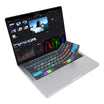
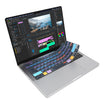
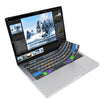
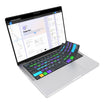
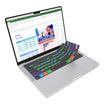


Lightroom Tabs
| Shortcut Hotkey | Description | MacOS VIA Macro | Windows VIA Macro |
|---|---|---|---|
| Auto Settings | Automatically adjusts the tone of the image to improve balance |
VIA Code copied: {KC_LGUI,KC_U}
|
VIA Code copied: {KC_LCTL,KC_U}
|
| Auto White Bal. | Automatically adjusts the white balance of the image |
VIA Code copied: {KC_LGUI,KC_LSFT,KC_U}
|
VIA Code copied: {KC_LCTL,KC_LSFT,KC_U}
|
| Edit in Photoshop | Edit the currently selected image in Photoshop |
VIA Code copied: {KC_LGUI,KC_E}
|
VIA Code copied: {KC_LCTL,KC_E}
|
| New Snapshot | Create a new snapshot of the selected image's settings |
VIA Code copied: {KC_LGUI,KC_N}
|
VIA Code copied: {KC_LCTL,KC_N}
|
| New Mask | Toggle the Masking menu |
VIA Code copied: {KC_LSFT,KC_W}
|
VIA Code copied: {KC_LSFT,KC_W}
|
| Copy Settings | Open the Copy Settings dialogue box |
VIA Code copied: {KC_LGUI,KC_LSFT,KC_C}
|
VIA Code copied: {KC_LCTL,KC_LSFT,KC_C}
|
| Paste Settings | Apply the copied settings to the selected image |
VIA Code copied: {KC_LGUI,KC_LSFT,KC_V}
|
VIA Code copied: {KC_LCTL,KC_LSFT,KC_V}
|
| Export | Export the selected photo(s) |
VIA Code copied: {KC_LGUI,KC_LSFT,KC_E}
|
VIA Code copied: {KC_LCTL,KC_LSFT,KC_E}
|
| Reset Settings | Reset all settings for the currently selected image |
VIA Code copied: {KC_LGUI,KC_LSFT,KC_R}
|
VIA Code copied: {KC_LCTL,KC_LSFT,KC_R}
|
| Enhance Photo | Open the Enhance settings to improve the image quality using AI |
VIA Code copied: {KC_LCTL,KC_LALT,KC_I}
|
VIA Code copied: {KC_LCTL,KC_LALT,KC_I}
|
| Print Module | Go to the Print Module |
VIA Code copied: {KC_LGUI,KC_LALT,KC_6}
|
VIA Code copied: {KC_LCTL,KC_LALT,KC_6}
|
| Reset Crop | Reset the crop of the selected image |
VIA Code copied: {KC_LGUI,KC_LALT,KC_R}
|
VIA Code copied: {KC_LCTL,KC_LALT,KC_R}
|
| Radial Gradient | Create a new Radial Gradient Mask |
VIA Code copied: {KC_LSFT,KC_M}
|
VIA Code copied: {KC_LSFT,KC_M}
|
| Import | Import Photos and Videos |
VIA Code copied: {KC_LGUI,KC_LSFT,KC_I}
|
VIA Code copied: {KC_LCTL,KC_LSFT,KC_I}
|
| Toggle Filter | Toggle the Filters On/Off |
VIA Code copied: {KC_LGUI,KC_L}
|
VIA Code copied: {KC_LCTL,KC_L}
|
| Zoom Out | Zoom out from the image |
VIA Code copied: {KC_LGUI,KC_MINS}
|
VIA Code copied: {KC_LCTL,KC_MINS}
|
| Zoom In | Zoom in to the image |
VIA Code copied: {KC_LGUI,KC_EQL}
|
VIA Code copied: {KC_LCTL,KC_EQL}
|
| Rotate Left | Rotate the photo left (Counterclockwise) |
VIA Code copied: {KC_LGUI,KC_LBRC}
|
VIA Code copied: {KC_LCTL,KC_LBRC}
|
| Rotate Right | Rotate the photo right (Clockwise) |
VIA Code copied: {KC_LGUI,KC_RBRC}
|
VIA Code copied: {KC_LCTL,KC_RBRC}
|
| Save Quick Collection | Open the Save Quick Collection dialogue box |
VIA Code copied: {KC_LGUI,KC_LALT,KC_B}
|
VIA Code copied: {KC_LCTL,KC_LALT,KC_B}
|
| Undo Action | Undo the last action |
VIA Code copied: {KC_LGUI,KC_Z}
|
VIA Code copied: {KC_LCTL,KC_Z}
|
| Redo Action | Redo the last undo action |
VIA Code copied: {KC_LGUI,KC_LSFT,KC_S}
|
VIA Code copied: {KC_LCTL,KC_LSFT,KC_S}
|