


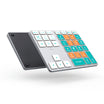
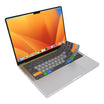
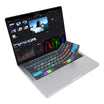
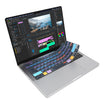
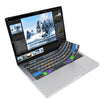
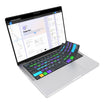
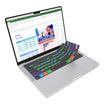


Final Cut Tabs
| Shortcut Hotkey | Description | MacOS VIA Macro |
|---|---|---|
| Compound Clip | Create a New Compound Clip |
VIA Code copied: {KC_LALT,KC_G}
|
| Enhance Light & Color | Automatically enhances the Light and Color in your clips (Final Cut Pro 10.8 and newer) |
VIA Code copied: {KC_LCTL,KC_LALT,KC_LGUI,KC_O}
|
| Project Snapshot | Take a Snapshot of the current Project, saving its current state within the Project file |
VIA Code copied: {KC_LSFT,KC_LGUI,KC_D}
|
| Paste Attributes | Paste copied attributes and their settings to the selection |
VIA Code copied: {KC_LSFT,KC_LGUI,KC_V}
|
| Cut Clips At Playhead | Cut all clips at the skimmer or playhead location |
VIA Code copied: {KC_LSFT,KC_LGUI,KC_B}
|
| Undo Action | Undo the last command |
VIA Code copied: {KC_LGUI,KC_Z}
|
| Redo Action | Redo the last command |
VIA Code copied: {KC_LGUI,KC_LSFT,KC_S}
|
| Toggle Library | Toggle Show/Hide the Library & Browser module |
VIA Code copied: {KC_LCTL,KC_LGUI,KC_1}
|
| Time to Range | Trims the clip start and end points to match the range selection. |
VIA Code copied: {KC_LALT,KC_BSLS}
|
| Create Storyline | Create a storyline from a selection of connected clips that don’t overlap |
VIA Code copied: {KC_LGUI,KC_G}
|
| Play Full Screen | Play full screen from the skimmer or playhead position |
VIA Code copied: {KC_LSFT,KC_LGUI,KC_F}
|
| Import Media | Opens the Media Import dialogue box |
VIA Code copied: {KC_LGUI,KC_I}
|
| New Event | Creates a new event |
VIA Code copied: {KC_LALT,KC_N}
|
| New Project | Creates a new project |
VIA Code copied: {KC_LGUI,KC_N}
|
| Export File | Opens the Export File dialogue box |
VIA Code copied: {KC_LGUI,KC_E}
|
| Timeline Scrolling | Scrolls the timeline in line with the playhead during playback |
VIA Code copied: {KC_LALT,KC_LSFT,KC_S}
|
| Transitions Browser | Toggle Show/Hide the Transitions Browser |
VIA Code copied: {KC_LCTL,KC_LGUI,KC_5}
|
| Retime Edit | Toggle Show/Hide the Retime Editor |
VIA Code copied: {KC_LGUI,KC_R}
|
| Zoom In Timeline | Zoom in to the browser, viewer, or timeline |
VIA Code copied: {KC_LGUI,KC_EQL}
|
| Zoom Out Timeline | Zoom out of the browser, viewer, or timeline |
VIA Code copied: {KC_LGUI,KC_MINS}
|
| Add Connect Title | Connect a basic title to the primary storyline |
VIA Code copied: {KC_LCTL,KC_T}
|
| Insert Gap Clip | Inserts a gap clip at the skimmer or playhead location |
VIA Code copied: {KC_LALT,KC_W}
|